
Production Pro
Quotes
Price a custom job and send it as a Shopify draft order.
Quotes prices a custom job and turns it into a Shopify draft order, for jobs that come in by email or phone.
Quotes are on the Pro plan. Try it free for 14 days.
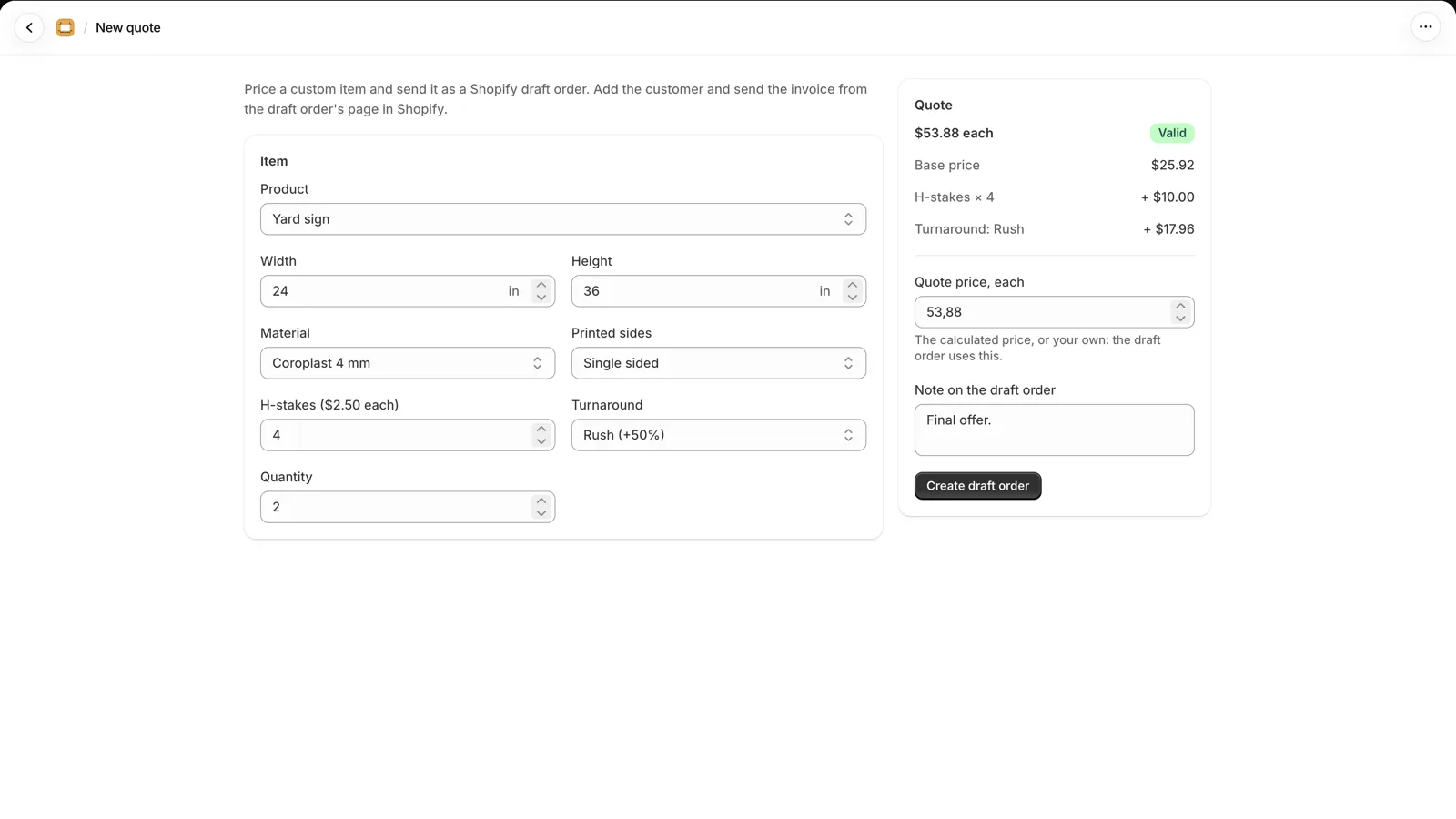
Create a quote
- Choose the item
Choose a configured product, then enter the size, material, add-ons and quantity. The calculated price and its breakdown show beside it.
- Set the price
In Quote price, each, keep the calculated price or enter your own. The difference from the calculated price is shown.
- Create the draft order
Add a Note on the draft order if you want, then click Create draft order. The first time, Shopify asks permission to create draft orders.
- Send it from Shopify
Open the draft order in Shopify, add the customer and send the invoice from there.
After the customer pays
The draft order has the item's details and the tag quote. When the customer pays, the order appears in the production queue like any other, with its due date from the product.